-
Review: Ubuntu 8.04 LTS Hardy Heron
Ubuntu 8.04 LTS Hardy Heron
Well modders, it's that time of year again. That's right, it's a new Ubuntu release. But wait! Don't feel ashamed for asking yourself if it's worth the upgrade. Why, that's exactly what I'm here to tell you about! So just sit down, have a cup of tea and read on.
Introduction
This exciting piece of software engineering is Ubuntu's 8.04 release, codename Hardy Heron. You may be wondering, "Why would I want to leave a Feisty Fawn to join a Hardy Heron?" Ah ha! So you haven't heard of Hardy's new and fantasico features! We have...
- Out-of-the-box Wireless Support!*
- Restriced (Nvidia, ATI) Driver installation!
- Universe and Multiverse Repos Enabled from the install!
- Only the latest and greatest software for the license-minded!
I know, my hand started twitching with excitement too. I had my doubts after using 8.04 RC1, but this stable release took those and swept them under the porch (is that a legit saying?). As I was saying, the changes seem minuscule, almost trivial, but when you install that new system and run it for the very first time, well, lets just say it's like taking that first bite of solid food as a toddler. You may have thought that ground up carrots were lunch, but oh man does that Honey Nut Cheerio taste sweet.
The New
What a list of features, don't you think? Numero Uno had me from the LiveCD. Any Linux user will know of the headaches and brain-numbing commands that are needed to have IFFY wireless internet. Since I can't scream at you through text, NOT ANYMORE FOLKS. MY SQUEEZE-THE-LIFE-FROM-ME-SO-I-DON'T-HAVE-TO-KEEP-TRYING-TO-GET-THIS-TO-WORK WIRELESS CARD WORKED OUT OF THE BOX. AND YES, MY COFFEE IS GREAT!! My Linksys WUSB54 v4 card consistently gave me troubles in the past, and even gave me troubles with the RC1 release, but with this new stable version, it worked from the get go and with relatively high connectivity (75% or above most of the time). You may think this is nothing to brag about, even something you want to keep to yourself (75%? That's nothing, right?). Believe me guys, this is HUGE. You'll see why in the coming sections. *As always, it depends on the card and your success will vary from mine. Don't let this deter you; try the LiveCD and see how it goes.
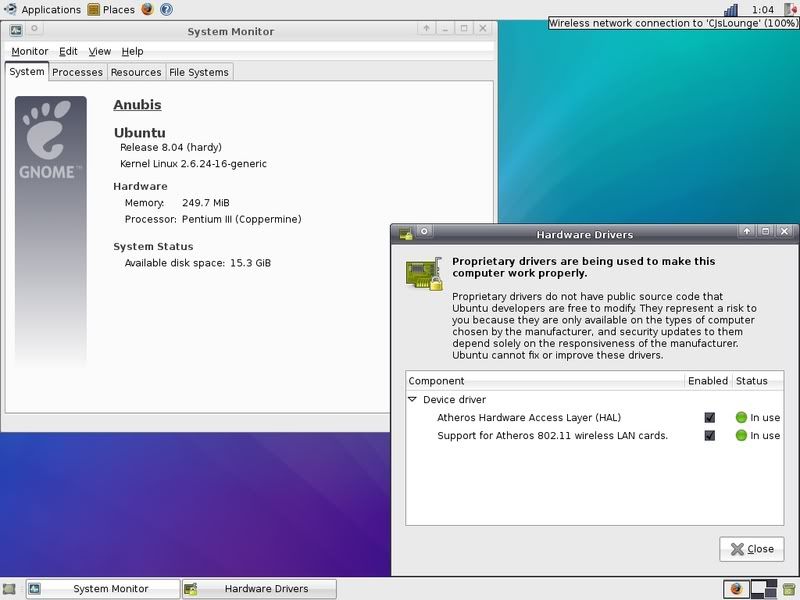
And now for an anecdote. As I sat on my less-than-comfortable computer chair, browsing the interwebs, a little green icon appeared and caught my eye. This icon seemed to be nothing special, it had a little green, some gold, and a stripe or two of silver. One could easily graze over it and not even know it was there. But this icon had something about it. It drew me to it. I needed to know why it was there. A simple mouse-over should do the trick, right? One long second later, the familiar light-yellow-gold dialog bubble grew from the icon, with a larger version of itself. Awww, a cute little graphics card. A smile grew on my face. New Restricted Driver. An even larger smile grew on my face. One bubble click later, I was downloading and installing the official Nvidia Linux Driver. Yep, that's it. One. Click. Gone are the days of editing config files, adding sources to your repos and making potentially unstable system changes. Now, it's all in one, tiny, click. Rejoice Linux user, rejoice! For now you can enable the "Extra" visual effects (Compiz/Beryl) that again, Ubuntu installs for you.
Breathe reader, breathe! If that story was too intense for you, here's some nice, light reading. Back in the days of yor, package management was quite usable, though still in it's infancy. You find a package you like, search Synaptic, waiting for the progress bar to finish.. only to find no results. You check the packages site, you read and reread again, "Available through Synaptic". Lies I say, lies! Like a contract binding yourself to indentured servitude until you turn 70, you skipped the fine print. "You must enable to Universe and Multiverse repositories in Settings". Yep, now you feel dumb. Don't worry though, you're all set here. All 24,555 packages (and growing) are available hot off the press.
And to conclude my overly-lengthy look into the 4 greats of Hardy Heron, I stop with the new software. Only the cream of the crop is on here, and even that is only the creamiest of the cream. We've got knockouts like GIMP 2.4.5, OpenOffice.org 2.4 and Firefox 3 Beta 5. The Evolution Mail Client is as always present and there are addicting games up the yin-yang. As for the rest, you'll just have to check them out yourself.
The Old
Everything you'd expect from the guys at Canonical is here. We've got Synaptic, Gnome, x86_64 versions, server versions, KDE and Xfce versions, even a few third-party versions are now official releases. We've got top-notch office, graphics and internet programs, and we have everything else in between. But, that's where the old's end. As I said (multiple times) before, you're only getting the latest and greatest. I bet you can guess what I'm giving Ubuntu right now, right? Keep that number in your head, and we'll see if you're right.
The Gamut
You probably don't need me to tell you that Linux is great. As a matter of fact, crenn's poll says 52% of our users use it. To top that off, I'm Registered Linux User #471863. That's a lot of people. However, some still say that Linux isn't ready for the desktop. Oh are they wrong. My wireless was detected and running 2 seconds into loading the LiveCD, all my documents are Linux and Windows ready, all the Windows-only software has Linux counterparts (which are sometimes better (OO.org..)) and Ubuntu 8.04 now has a brand new Windows installer. Heh?! Don't worry, I'll back the truck up. You have a full install of Windows, and don't want to mess anything up with a trial of Ubuntu. It's understandable. Don't worry about that anymore. You don't have to partition yourself. You don't have to worry about losing documents. You're set. Ubuntu comes packed with a Windows installer that will DO THAT FOR YOU. Burn the .ISO, put it in your drive while running Windows, and BAM!, an installer appears. Fly away with the penguin Windows user, fly.
Open those Windows and let computing euphoria take you away.
My hands hurt. Carpal tunnel is sending pain impulses coursing through my nerves. I have to backspace every 4 characters to undo a mistake from typing so much. And I haven't even told you the half of it. Ubuntu had me from the first LTS release (meaning it has extra-long support) of 6.06. Ubuntu took my heart again with 8.04. Everything just works. My NTFS partition was immediately recognized. My Nvidia 8800GT had drivers in a mouse-click. My wireless card is sending sweet, sweet bytes over the interwebs. And you know what the best part of all is? I didn't pay a penny for any of it.
Linux isn't ready for the desktop. Pashaw to that! I spit in the eye of the non-believer. My 64-bit install of Ubuntu is more stable, more usable and more system resource friendly than any install of 64-bit Vista. Who isn't ready for the desktop now, Mr. Virus? You may see a green hill with a bright blue sky through a Window, but open that sucker just a tiny bit and you have a bug infestation. There aren't any bugs where the penguins dwell.
10/10 - If you don't at least try it you're a fool! And I pity the fool!
Edit: And just for fun, here's a link to my new Ubuntu install screenshot. http://interimo.deviantart.com/art/U...nshot-85302885
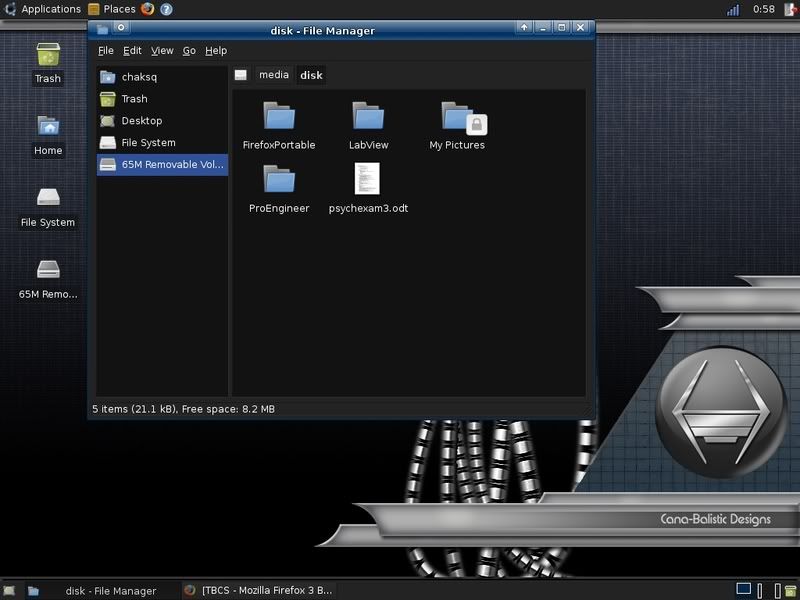
Edit 2: Here's another screenie; new desktop, GTK, Metacity and Conky!
-
Re: Ubuntu 8.04 LTS Hardy Heron
Already have it on my labtop, installed it at like 3:30 AM.
GET IT!
-
Re: Ubuntu 8.04 LTS Hardy Heron
I'm also using Ubuntu 8.04 LTS Hardy Heron! *High Fives*
After about a month of having no computer what-so-ever, I decided to bust out my busted up laptop and repair it. So I ordered some parts (HDD, USB Keyboard, Slim Optical Drive), installed them, downloaded Ubuntu 8.04 LTS Hardy Heron, installed that, and now here I am! ^_^
The only complaint I have so far doesn't really even have anything to do with Hardy Heron. Its just that Hardy Heron comes with Firefox 3 Beta, which lacks one of my top most used buttons. The GO button. I MISS IT SO MUCH! T_T
But other than that, everything worked from the get go. Had a few really minor issues at first, but the little restricted drivers notification or whatever that is popped up, so I clicked it and installed what it wanted me to install and now everything works beautifully! Couldn't be happier, aside from the lacking of a "Go" button in Firefox.
...now if only Ubuntu could run windows programs without having to install wine or anything like that, I would probably never use windows again... oh well, its a nice dream at least. lol
-
Re: Ubuntu 8.04 LTS Hardy Heron
Alright, it's super easy. Download the themes and icons that I linked, but don't extract them. Then, go System > Preferences > Appearance. The little theme menu shows up. Take the .tar.gz archives, and drag them onto the little menu. Then, it will ask if you'd like to install the theme. Say yes, do the same for the icons, and you're done. If the theme doesn't come packaged as a .tar.gz file, extract whatever it is and drag the folder onto the menu.
-
Re: Ubuntu 8.04 LTS Hardy Heron
Your review has convinced me to at least try the live cd. Right now I'm using Fedora 8, which also has out of the box wireless and a few minor issues. Fedora 9 is coming out tomorrow so I plan to try that. I might do a comparison review of Fedora vs. Ubuntu.
Oh important to note that the 8.04 version of Ubuntu is "LTS" meaning long term support (3 years) so keep that in mind if you've been weary of switching to linux.
-
Re: Ubuntu 8.04 LTS Hardy Heron
I switched from Fedora 5 to Ubuntu 6.06 back when it came out. I have been using Ubuntu 7.04 since last April when it came out. I'm still quite happy with it, so I wasn't planning on upgrading to 8.04. I didn't even upgrade to 7.10, but your review has me curious. Now where did I put my blank discs....
BTW, I'm registered linux user #436165. For anybody curious what that's about: LINK
-
Re: Ubuntu 8.04 LTS Hardy Heron
-
Re: Ubuntu 8.04 LTS Hardy Heron
Just dual booted it with xp. Im going to make it my primary operating system but i need to sort out a few issues first, mainly why firefox wont display java games and quicktime movies. i have installed the java runtime in the package manager.
Joe
-
Re: Ubuntu 8.04 LTS Hardy Heron
Quote:
Originally Posted by
TheGreatSatan

Screen shots please!!
There's a link to my current desktop at the bottom of the post. What other kind of shots do you want?
Edit:
Quote:
Originally Posted by jbaldwinroberts
Just dual booted it with xp. Im going to make it my primary operating system but i need to sort out a few issues first, mainly why firefox wont display java games and quicktime movies. i have installed the java runtime in the package manager.
Joe
You might try just downloading from Sun's website. I'm downloading right now, so we'll see how the x64 version works out.
-
Re: Ubuntu 8.04 LTS Hardy Heron
Got it sorted, rebooted for like the fifth time and it worked. yay.
-
Re: Ubuntu 8.04 LTS Hardy Heron
Quote:
Originally Posted by
jbaldwinroberts
Got it sorted, rebooted for like the fifth time and it worked. yay.
Weird. I decided to try it from Synaptic too and all I needed was a browser restart. Now to get Flash Player installed... And get a new Metacity theme. At first I could handle the black everywhere, but now it's just starting to annoy me. I'm keepin' the black GTK, but I need my white Firebox boxes!
-
Re: Ubuntu 8.04 LTS Hardy Heron
Quote:
Originally Posted by
jbaldwinroberts
Just dual booted it with xp. Im going to make it my primary operating system but i need to sort out a few issues first, mainly why firefox wont display java games and quicktime movies. i have installed the java runtime in the package manager.
Joe
All that kind of stuff is because of the fact that the licenses on software like flash wont allow anyone to spread it freely. So I suppose you cant expect ubuntu to have full support for this when they arent allowed to fully integrate it.
And while im on the subject of codecs: did you know it's illegal to play a legally bought DVD on a linux system? ^_^
-
Re: Ubuntu 8.04 LTS Hardy Heron
Added a new screenshot to the first post.
-
Re: Ubuntu 8.04 LTS Hardy Heron
Okay. I'm so close to dual booting linux, this new release is almost too good to pass up. I think I might back up my hard drive, then use the windows installer. windows installer.
Shivers go up my spine every time I type that.
-
Re: Ubuntu 8.04 LTS Hardy Heron
I haven't had a chance to try it out, but the guys at Canonical are pretty confident in it's capabilities. Plus, they've had testing going on since 2006 :D.
-
Re: Ubuntu 8.04 LTS Hardy Heron
I... I'm going to do it. Yes, I am going to do it. Downloading the iso for the x86 now. I will go back to school for my last hour and then come home, it should be done and then I can burn then install it.
It sets up a dual boot thing if you use the windows installer, right? I think i'm going to start out using 10 gb or so of space, I will only be needing it for internet surfing, some gimp work and word processing stuff in it. I am looking forward to this. It's going to be fun.
Edit- After I start running ubuntu and everything, will it detect and be able to use my windows partition? It would be nice not to have to move things over with my external drive.
-
Re: Ubuntu 8.04 LTS Hardy Heron
Yep, it'll detect your NTFS drive from boot (it did for me anyways). Here's the wiki entry for the installer. https://wiki.ubuntu.com/InstallerForWindows
-
Re: Ubuntu 8.04 LTS Hardy Heron
Downloaded this, but havent tried it yet.. Mint is working too damn well for me atm. I even started playing with Aircrack today.. w00t. :D
Too bad I'm putting all my energy into the new bike right now.. ;)
-
Re: Ubuntu 8.04 LTS Hardy Heron
This message typed from ubuntu hardy heron.
Seriously took me half an hour from burning the disk to typing this. 30 minutes. It set up the internet completely by itself, seriously- this is easier than windows. easier.
-
Re: Ubuntu 8.04 LTS Hardy Heron
Quote:
Originally Posted by
Quakken
This message typed from ubuntu hardy heron.
Seriously took me half an hour from burning the disk to typing this. 30 minutes. It set up the internet completely by itself, seriously- this is easier than windows. easier.
No need to convince me :D. I boot Ubuntu from power-on to usable desktop in ~30 seconds. Can't say the same for Windows.
To all the people who say Linux isn't ready for the desktop... READ IT.
-
Re: Ubuntu 8.04 LTS Hardy Heron
Too bad I don't exactly have sound, though. I'll put in my old sound card into my computer maybe, if I can't find some drivers for my m-audio pro box. So far, I'm very impressed. Developers need to see the light, they would sell amazing amounts of software if they made it for linux also.
I just have one question- Should I be able to see my windows files? What does the ubuntu file manager actually detect, should I be able to just snag data out of, say, the stock programs folder from windows and be able to use it, or do I have to put it into the "ubuntu" folder in c?
I think I am going to experiment with this.
-
Re: Ubuntu 8.04 LTS Hardy Heron
You should be able to see the windows partition of your hard drive but it will only be read only. Therefore you should be able to drag and drop files across to linux but not into windows. If you cant see your windows partition you need to mount it into linux.
1. Go to the terminal... applications => Accessories
2. Type Type your password
This should display something like this,
3. As you can see my Windows NTFS partition is at /dev/sda1
So i am going to use this in the commands. You will need to change it to whatever
your hardrive/partition is.
4. Now you need to create a folder to mount the hardrive in.
Code:
sudo mkdir /mnt/windows
5. Finally mount the hardrive.
Code:
sudo mount /dev/sda1 /mnt/windows
The harddrive contents should now be in this folder.
6. If you want the windows files to be mounted on startup so they are always there you
need to add a line to the etc/fstab file.
You do this by typing
Code:
gksudo gedit /etc/fstab
This will open the file for editing.
7. Add this to the end of the file, changing it to your hardrive etc and save.
Code:
/dev/sda1 /mnt/windows ntfs nls=utf8,umask=0222 0 0
Hope this helps
Joe
-
Re: Ubuntu 8.04 LTS Hardy Heron
I'm about to throw this on my ROIO box just to see it it'll work for what I need it to do. And if I like it, I might even jettison XP on my main machine.
-
Re: Ubuntu 8.04 LTS Hardy Heron
Quote:
Originally Posted by jbaldwinroberts
*Great tut*
However, you don't need to do that anymore :D. Go to Places > Computer and look for a drive called *** GB Media. Double click that, it'll display a message asking you something (I didn't read it) and there's your Windows partition with read and write enabled.
-
Re: Ubuntu 8.04 LTS Hardy Heron
It asks you if you want to mount it, then does it automatically. For some reason mine didnt do this so i had to do it manually, and i thought that maybe other people could be having this problem.
Joe
-
Re: Ubuntu 8.04 LTS Hardy Heron
very cool... i think i'm gonna give it a go on a spare system i have at home.
thanks for the review and giving this old windows hack the confidence to try something different.
-
Re: Ubuntu 8.04 LTS Hardy Heron
Thanks a lot!
It all just works. It's like OSx except my sound doesn't work and it was free.
I think I may have some leads on a possible driver for the sound, though. This is turning out great.
-
Re: Ubuntu 8.04 LTS Hardy Heron
Quote:
Originally Posted by
Quakken
Thanks a lot!
It all just works. It's like OSx except my sound doesn't work and it was free.
I think I may have some leads on a possible driver for the sound, though. This is turning out great.
What card are you using? My Audigy 2 isn't working, but I think all I need to do is set it to the main device in alsamixer (run that from the command line and it'll show you what it's trying to run from). After I set Audigy in the GUI changer, it still says Nvidia Audio in alsamixer. :neutral:
-
Re: Ubuntu 8.04 LTS Hardy Heron
Quote:
Originally Posted by
calumc
All that kind of stuff is because of the fact that the licenses on software like flash wont allow anyone to spread it freely. So I suppose you cant expect ubuntu to have full support for this when they arent allowed to fully integrate it.
And while im on the subject of codecs: did you know it's illegal to play a legally bought DVD on a linux system? ^_^
Did you know that its only illegal in some contries and not in others :banana:
you could always use wine and window based media players that you legally own..
-
Re: Ubuntu 8.04 LTS Hardy Heron
Quote:
Originally Posted by
.Maleficus.
What card are you using? My Audigy 2 isn't working, but I think all I need to do is set it to the main device in alsamixer (run that from the command line and it'll show you what it's trying to run from). After I set Audigy in the GUI changer, it still says Nvidia Audio in alsamixer. :neutral:
I don't have a sound card really, I have a USB box, an m-audio fast track pro (one of these). From what I can tell, there is some ALSA support for other m-audio devices, and I think I am going to see what I can do with those, but from what I see in other places, there isn't much luck.
Also, where in ubuntu does it display your system specs and current hardware you are running? I've kind of looked around, and I haven't found much (probably easy question).
-
Re: Ubuntu 8.04 LTS Hardy Heron
Well, you can do 'lspci' from the command line, or open up System > Administration > System Monitor for the Windows type task manager (resources, stuff like that).
-
Re: Ubuntu 8.04 LTS Hardy Heron
Liked the review, I am looking for a cheap laptop now to have it as my work computer (word processing, small GIMP usage, videos/music) and run ubuntu/xubuntu, was wondering what kind of laptop I should be looking for and if it was easier for setting up depending on brand.
edit: why == what, can't believe I didn't catch that on the re-read
-
Re: Ubuntu 8.04 LTS Hardy Heron
Quote:
Originally Posted by
Killa_Ape
Liked the review, I am looking for a cheap laptop now to have it as my work computer (word processing, small GIMP usage, videos/music) and run ubuntu/xubuntu, was wondering why kind of laptop I should be looking for and if it was easier for setting up depending on brand.
That's a hard one. I would personally get a Dell (I mean, Dell even makes laptops with Ubuntu preinstalled!) but it depends on preference. You could have hardware trouble any way you go. I'd just find one you like, find the specs and search Google for it's compatibility.
-
Re: Ubuntu 8.04 LTS Hardy Heron
Quote:
Originally Posted by
Killa_Ape
Liked the review, I am looking for a cheap laptop now to have it as my work computer (word processing, small GIMP usage, videos/music) and run ubuntu/xubuntu, was wondering why kind of laptop I should be looking for and if it was easier for setting up depending on brand.
I'd recommend the Xubuntu derivative. It's got a smaller RAM requirement.
-
Re: Ubuntu 8.04 LTS Hardy Heron
Anyone know how to get webcams working in aMSN. I follow through the setup but it then crashes when i press finish. Ill have a look on the ubuntu forms.
Thanks
Joe
-
Re: Ubuntu 8.04 LTS Hardy Heron
I ordered a Toshiba Satellite, it'll do what I need and it sounds like it'll be a slight challenge getting everything to work, but where's the fun if it's too easy ;p Havn't used Ubuntu in a while so it'll be a good learning experience.
-
Re: Ubuntu 8.04 LTS Hardy Heron
I just installed Xubuntu 8.04 on my IBM ThinkPad T20. This works amazing, quick boot considering I have 256mb of RAM and a 700mhz PIII. I have full use of my wireless card, haven't tested the range yet, it's practically sitting on my router right now. I had installed Fedora 8 once before on this machine partly because I think it uses a restricted driver which Ubuntu and it's official derivatives now support, don't ever expect to find restricted drivers in Fedora, their usage violates the principles of Fedora. Nothing against Fedora I admire their objectives but they do get in the way of some out of the box functionality for new users.
I did install directly to the computer not on top of Windows (which I deleted entirely) so I can't comment on that installer. The regular installer works nicely but doesn't allow for package selection which could be a drawback for some users, the text based varient I hear has more options in that regard. I had used an earlier version of the on top of windows installer called wubi before it was integrated into the Ubuntu project. That older version worked but was imperfect, I think it works better now that it has been fully integrated into the Ubuntu project, a friend installed that way with no issues.
Xubuntu uses Xfce not Gnome as the desktop environment, this means it uses less resources and works better on older machines. I had used an earlier version which did not work well at all, very slow. This new version is drastically improved and works significantly better. I now feel Ubuntu has gotten most of the kinks out and is very viable for everyday use on the desktop. I strongly recommend this to anyone looking to breath new life in an old computer. I plan on installing the various Ubuntu distros on a variety of my hardware and test how well it runs on various hardware and configurations. If you are wary of Linux try and of the desktop edition install disks, they all feature the ability to boot from live CD without changing your computer so you can see how well it works.
Edit:
-
Re: Ubuntu 8.04 LTS Hardy Heron
I decided to get rid of it, for now. As in, until I can find a driver for my sound setup (darn you open source community for not doing your job!).
It was a great experience, the windows installer is a piece of glory, and if you turn on "excess visual effects" or something to that resolve, your windows will be... squishy. And bendy, and such. It's awesome.
I didn't find something on it that I couldn't do in windows, and if there was a sound driver for my m-audio box, I would probably be using right now. Oh well. Next computer, I'll get a cheapo sound card to stick in there for it to use. I have one, but my computer is under my desk and I would have to move all my junk around to change my headphones from my computer to my m-audio box every time I had to use windows. Maybe after I get a new computer, I could use pure-ubuntu (or some other linux) on this one for websurfing and file-serverage, as well as have fully pimped out ubuntu on my new computer just for that also.
-
Re: Ubuntu 8.04 LTS Hardy Heron
Oh, this is just a strange meeting of worlds for me...Someone got Ubuntu in my TBCS...someone got TBCS in my Ubuntu.
My short two cents on this release:
Some networking and mounting procedures that used to be automatic don't seem to be there any more. On the other hand, wireless on my laptop rocks. Also, a lot of the desktop effects wouldn't work with the video card in my laptop in past versions - now they work out of the box.
Common line: Linux isn't ready for the desk top.
I have found this to be 50% true and 50% false.
Gaming? Joe-User accessible? Not so much. Yes, games can work in WINE, but not well. Yes, a Joe-User can do basic tasks with no problems - but not power user stuff like they can in Windows.
Yes: Multimedia, true power-users, office work, utility programs. All very much in Ubuntu's element. And, if set up well, Joe-User could actually be perfectly happy using it...but someone knowledgeable should set it up.
-
Re: Review: Ubuntu 8.04 LTS Hardy Heron
hey y'all... i don't pretend to know much about this kind of stuff, but this article was forwarded to me from a buddy over at microsoft...
http://www.dailytech.com/Huge+Hole+i...ticle11869.htm
Seems they found a big 'ole hole in some Linux distro packages. this isn't a diss... just an FYI for those of you that use Ubuntu as a server.